Clarity Theme for Filament
A premium, information-first theme for Filament panels. Clarity delivers compact data-dense tables, polished forms, notifications, dark mode, and disciplined visual hierarchy.
README
Clarity Theme for Filament
A theme for Filament 4 and 5, with dedicated release lines
Clarity keeps tables, forms and navigation consistent without requiring component rewrites.
Filament 4 is supported on the 1.x line with PHP 8.2+, while Filament 5 is supported on the 2.x line with PHP 8.4+.
Install from Privato, register one plugin on the panel you choose, and keep your existing resources, pages and business views. No Node build or component rewrite is required.
Coverage and boundaries
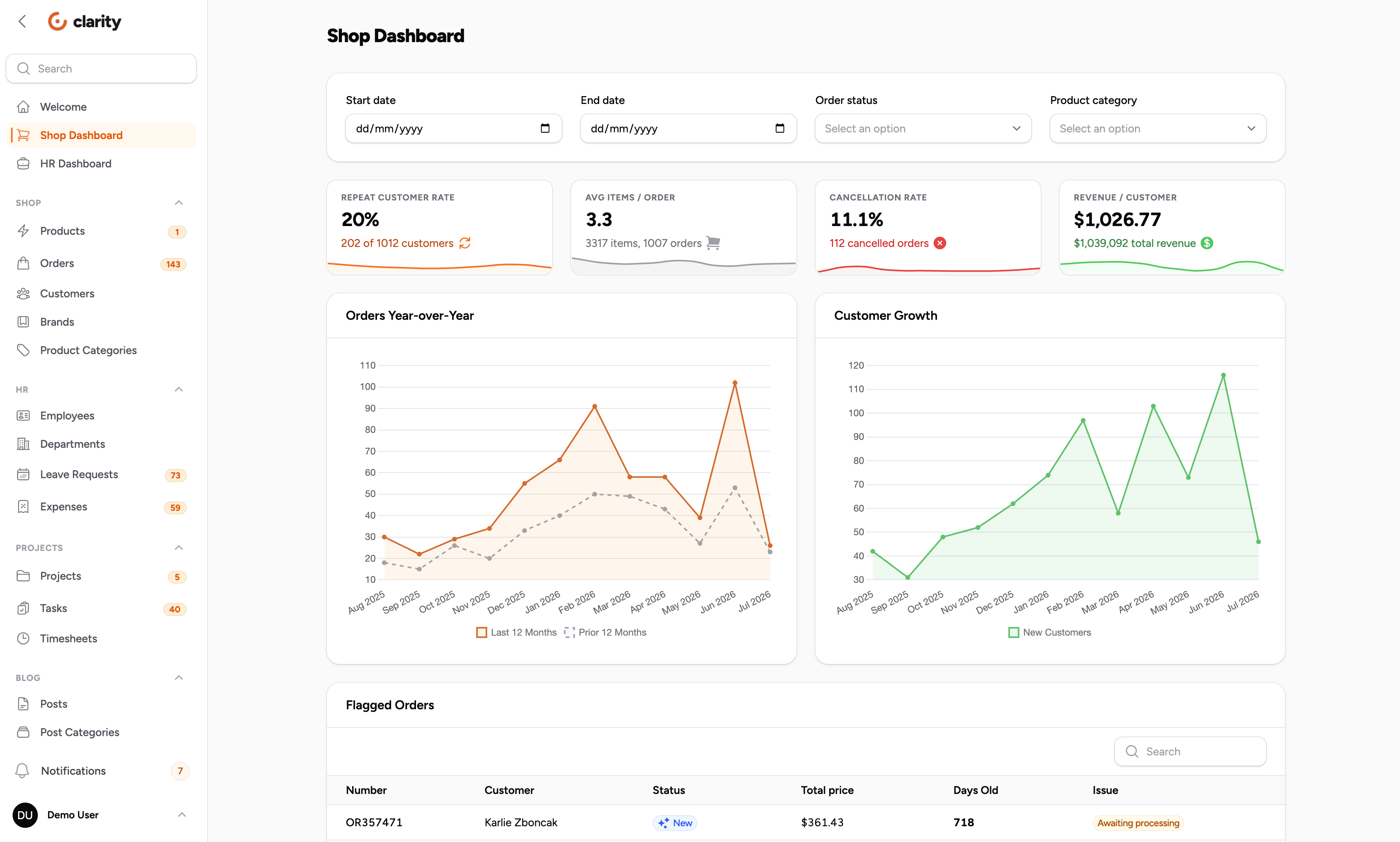
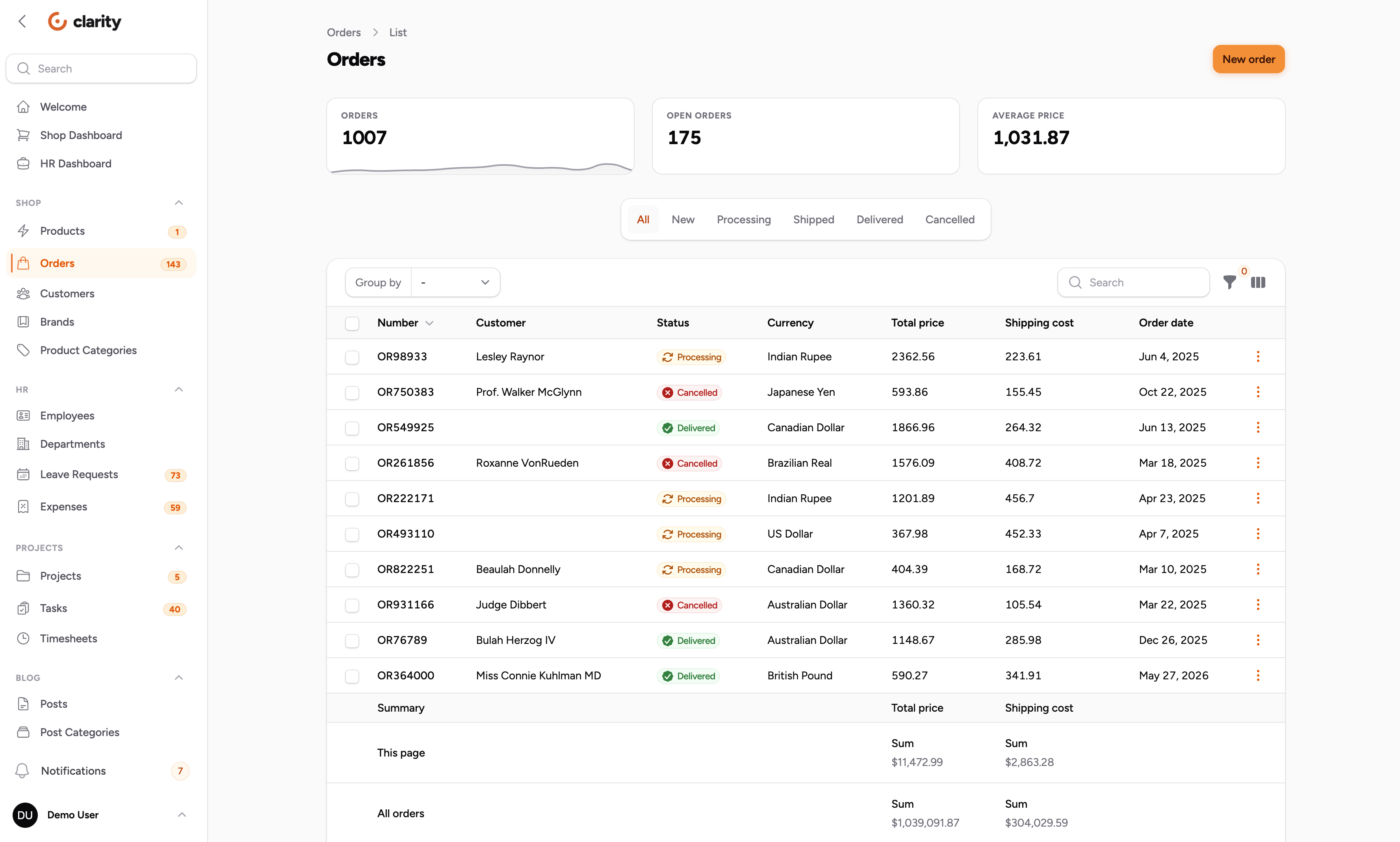
The theme covers sidebar, topbar, page headers, buttons, fields, tables, pagination, stats, badges, dropdowns, modals, notifications and empty states in light and dark mode.
Wizards, the rich editor toolbar, builder and repeater chrome, and the command palette remain in Filament's stock style.
Choose your release line
Clarity follows Filament's major versions. The stylesheet targets internal
.fi-* markup, so each line is tested as its own product rather than promising
one combined dependency range.
| Package version | Branch | Filament | PHP | Guide |
|---|---|---|---|---|
^1.0 |
1.x |
^4.0 |
^8.2 |
Filament 4 |
^2.0 |
2.x |
^5.0 |
^8.4 |
You are here |
Use the line matching your application's Filament major. This guide installs
the current 2.x line; the 1.x guide uses the same Privato flow with ^1.0.
Install through Privato
Launch special: use code CLARITY10 to get US$10 off.
The price is US$39 (US$29 with code CLARITY10) as a flat-rate, one-time purchase. Use the Privato checkout to obtain a licence.
Configure the Privato Composer registry, authenticate, and require the 2.x package:
composer config repositories.wiremodel composer https://wiremodel.privato.pub/composer
composer config --auth http-basic.wiremodel.privato.pub "<EMAIL>" "<KEY>"
composer require wiremodel/filament-clarity-theme:^2.0
EMAIL and KEY come from your licence in Privato. Keep them out of version
control and use Composer's local auth storage.
Register the plugin on the panel you want to theme:
use Wiremodel\FilamentClarityTheme\ClarityThemePlugin;

public function panel(Panel $panel): Panel
{
    return $panel
        ->plugin(ClarityThemePlugin::make());
}
Publish the stylesheet after installation:
php artisan filament:assets
Clarity has no theme configuration options by design; your panel resources and business views stay yours.
Recommended panel configuration
Clarity was drawn with Figtree and a 270px sidebar. Both settings are optional, but matching them gives you the intended rhythm and screenshot fidelity.
return $panel
    ->plugin(ClarityThemePlugin::make())

    // Without topbar
    ->topbar(false)

    // Sidebar collapsible on desktop
    ->sidebarCollapsibleOnDesktop()

    // Clarity was drawn with Figtree. Any font works, but the panel will not
    // match the screenshots without it. This URL fetches from a third-party
    // CDN, which is a data transfer your privacy policy may need to cover, and
    // which fails on an air-gapped install. Self-host the font instead if
    // either applies to you.
    ->font('Figtree', url: 'https://fonts.bunny.net/css?family=figtree:400,500,600,700,800&display=swap')

    // Filament defaults to 20rem. Clarity's spacing was tuned at 270px.
    ->sidebarWidth('270px');
To self-host Figtree, serve the font files from your application and point url at your stylesheet, or use Filament's LocalFontProvider.
Opt in per panel, including multiple panels
Clarity is opt-in per panel. A panel without the plugin remains untouched, so an admin panel and a customer panel can use different visual systems in one application.
Customisation
Clarity ships inside a clarity cascade layer. Unlayered CSS in your panel theme wins over any layer, so your own rules can customise the surface directly:
/* resources/css/filament/admin/theme.css */
@import '../../../../vendor/filament/filament/resources/css/theme.css';

.fi-btn {
    border-radius: 4px;
}
No !important or specificity escalation is needed. Design tokens are readable and overridable too:
:root {
    --radius-clarity-xl: 0.5rem;
}
| Token | Default | Used by |
|---|---|---|
--radius-clarity-md |
0.625rem |
Buttons, inputs, navigation items |
--radius-clarity-lg |
0.75rem |
Dropdowns, notifications, tiles |
--radius-clarity-xl |
1rem |
Sections, tables, modals |
--shadow-clarity-xs |
Hairline-weight shadow | Tiles, pagination, tenant menu |
--shadow-clarity-md |
Overlay shadow | Notifications, auth card |
--ease-clarity |
cubic-bezier(.4,0,.2,1) |
Every transition |
Gallery: light and dark
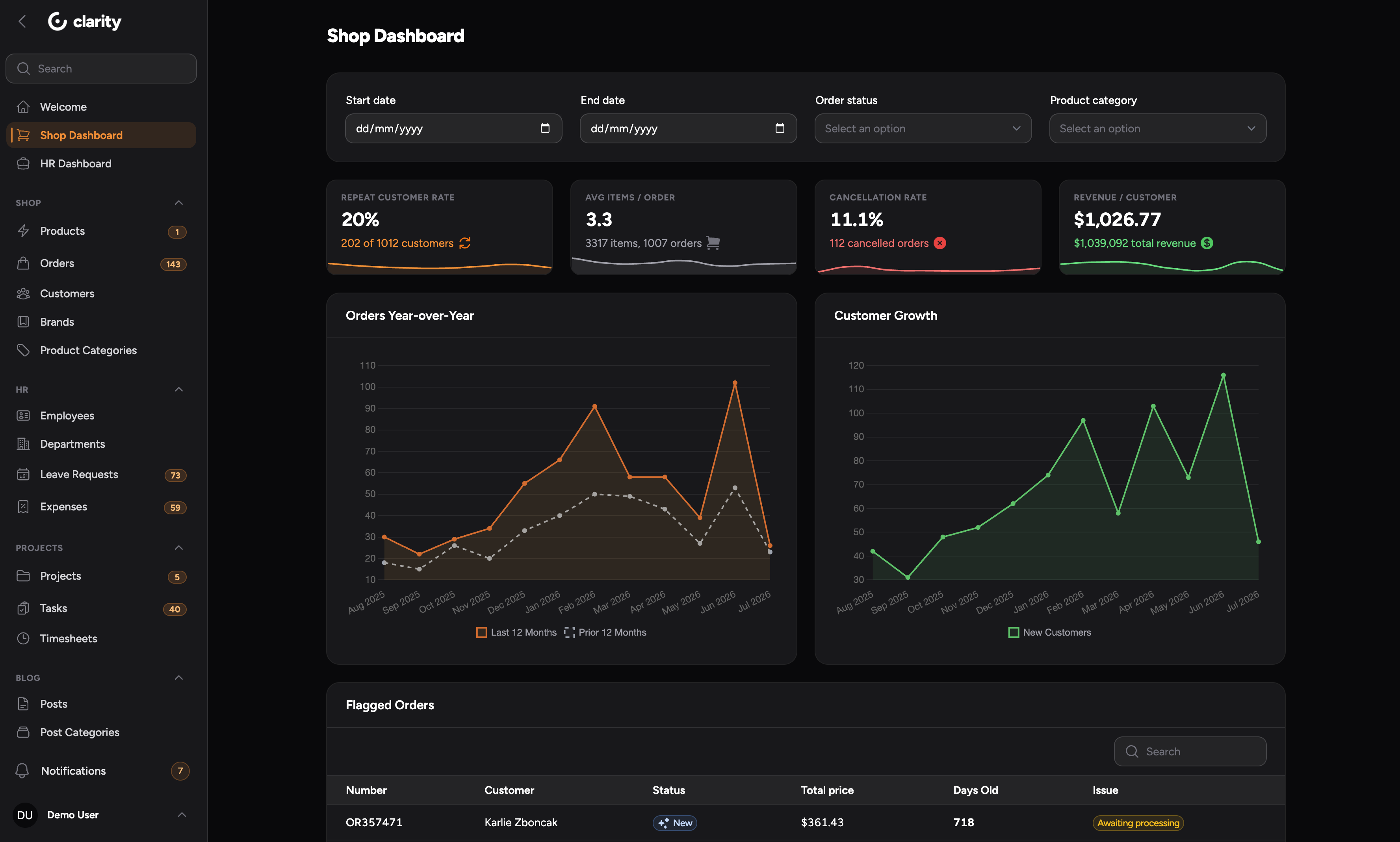
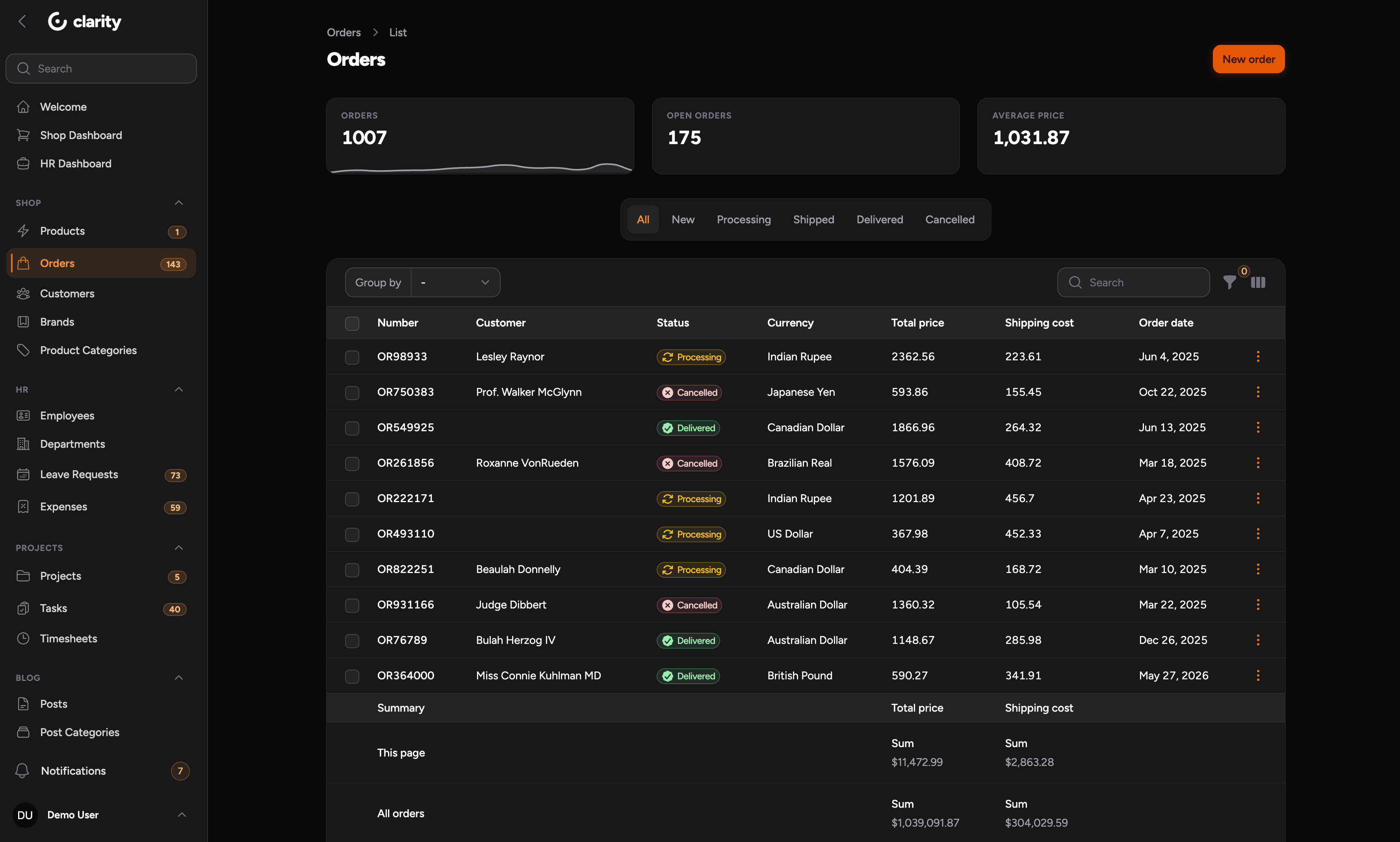
Every surface has a dark counterpart. Dark mode follows the panel's own toggle and derives dark values from the panel's grey palette rather than fixed colours.
Licensing and upgrades
One licence covers one production project, with unlimited developers and unlimited non-production environments. Read the full terms in License agreement tab.
The theme styles Filament's internal .fi-* class names. Constrain Filament in your application and review the panel visually after upgrades, because a Filament release can change markup without a package code change.
Clarity Theme for Filament - Proprietary License
Copyright (c) Wiremodel. All rights reserved.
This software is licensed, not sold. By installing or using it you agree to the terms below.
-
Grant
Each purchased license grants one non-exclusive, non-transferable licence to use the software in ONE production project (a single application deployed under a single primary domain, together with the organisation that owns it).
Within that project the licence covers an unlimited number of developers and an unlimited number of non-production environments: local machines, continuous integration, testing, staging and preview deployments.
-
Permitted
- Installing the software and its updates in the licensed project.
- Modifying the software for use within the licensed project.
- Using the software in commercial and client work, provided a separate licence is held for each project delivered.
-
Not permitted
- Using the software in more than one production project under one licence.
- Redistributing, republishing, sublicensing, selling or otherwise sharing the software or any derivative of it, in source or compiled form, whether free of charge or not.
- Publishing the software, in whole or in substantial part, to any public repository, registry or package archive.
- Removing or altering copyright or licence notices.
-
Ownership
Wiremodel retains all right, title and interest in the software. No rights are granted other than those stated above.
-
Updates and support
Access to updates and support is governed by the terms of purchase and may be time-limited. Expiry of that access does not revoke the right to keep using any version already obtained under a valid licence.
-
Warranty and liability
The software is provided "as is", without warranty of any kind, express or implied, including but not limited to the warranties of merchantability, fitness for a particular purpose and non-infringement. In no event shall the copyright holder be liable for any claim, damages or other liability, whether in an action of contract, tort or otherwise, arising from, out of or in connection with the software or its use.
-
Termination
This licence terminates automatically upon breach of any of its terms. On termination all use of the software must cease and all copies must be removed.
Single Project License
One production project, with unlimited developers and unlimited non-production environments.
$39
Purchasev2.0.0
Released 3 days ago
Initial stable release
Requires PHP 8.4+ and Filament 5.
Install the ^2.0 package line.
Includes sidebar, topbar, auth, notifications, forms, tables, stats, and empty states surfaces.
v1.0.0
Released 3 days ago
Initial stable release
Requires PHP 8.2+ and Filament 4.
Install the ^1.0 package line.